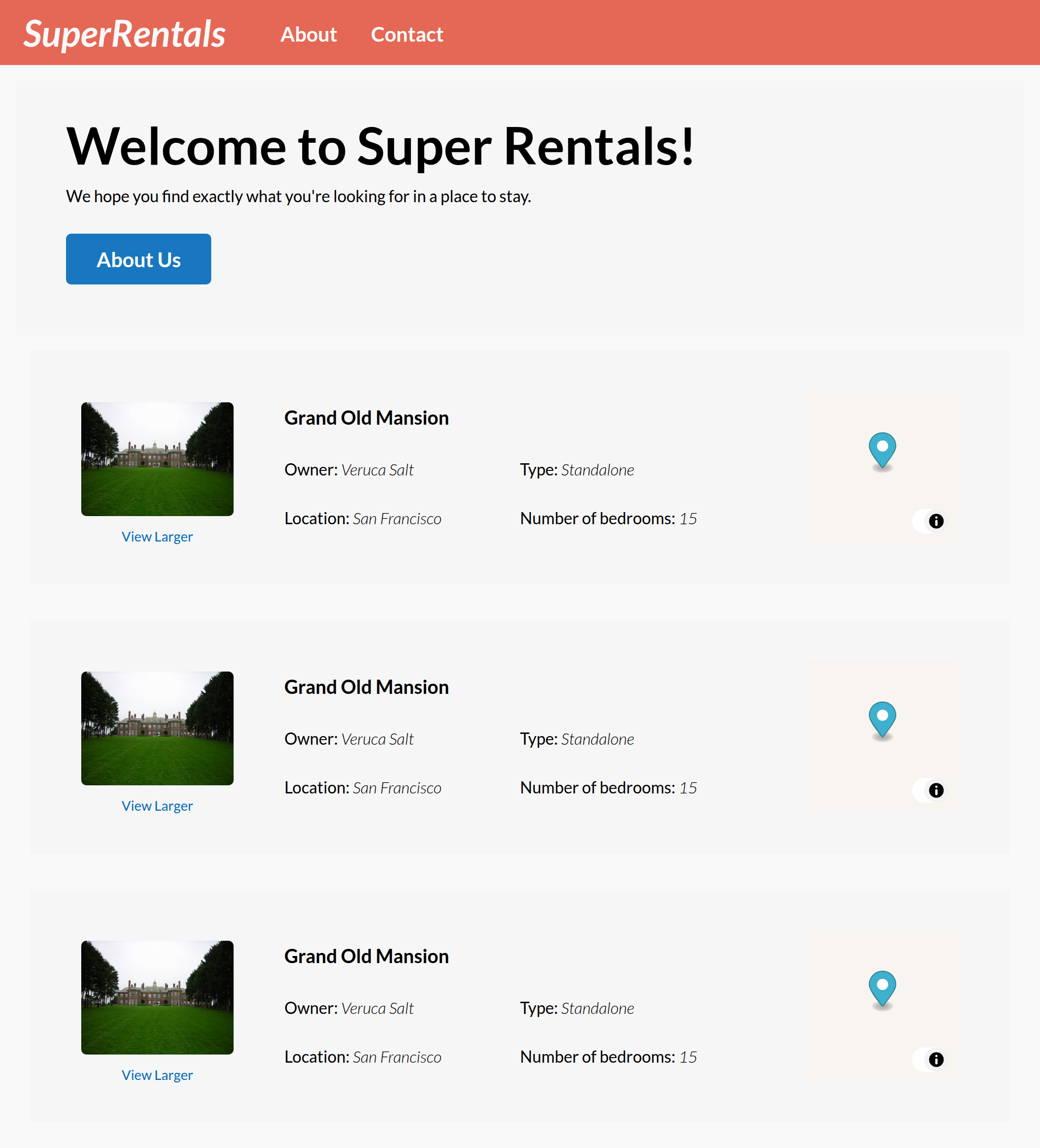
The last missing feature for the <Rental> component is a map to show the location of the rental, which is what we're going to work on next:
While adding the map, you will learn about:
- Installing and using third-party packages
- Using modifiers to interact with the DOM
- Parameterizing components with arguments
- Accessing component arguments
- Safely injecting styles with
trustHTML - Overriding HTML attributes in
...attributes - Refactoring with getters and auto-track
- Getting JavaScript values into the test context
- Centralizing configuration in
config/environment
Generating a Component with a Component Class
We will use MapLibre GL JS, an open-source mapping library, to render interactive maps. Since MapLibre GL is just an npm package, we can install and use it exactly as we would in any plain JavaScript project.
Let's add it to our app:
$ npm install maplibre-gl@6 --save-dev
 WARN  deprecated eslint@9.39.5: This version is no longer supported. Please see https://eslint.org/version-support for other options.
../../..                                 |  +23 ++
devDependencies:
+ maplibre-gl 6.13.0
Now let's generate a new component for our map.
$ ember generate component map --component-class=@glimmer/component
installing component
  create app/components/map.gjs
installing component-test
  create tests/integration/components/map-test.gjs

Running "lint:fix" script...
Since not every component will necessarily have some defined behavior associated with it, the component generator does not generate the JavaScript parts of the file for us by default. As we saw earlier, we can always add the JavaScript class to a component later on.
However, in the case of our <Map> component, we are pretty sure that we are going to need a JavaScript file for some behavior that we have yet to define! To save a step later, we can pass the --component-class=@glimmer/component flag to the component generator so that we have everything we need from the get-go.

Making use of arguments to create a reusable Map component
Let's update our component to render an interactive map:
import Component from '@glimmer/component';
import { modifier } from 'ember-modifier';
import { Map as MapLibreGLMap, Marker } from 'maplibre-gl';
import 'maplibre-gl/dist/maplibre-gl.css';

const MAP_STYLE = 'https://tiles.openfreemap.org/styles/liberty';

const displayMap = modifier((element, [lat, lng, zoom]) => {
  const map = new MapLibreGLMap({
    container: element,
    style: MAP_STYLE,
    center: [lng, lat],
    zoom,
  });

  new Marker().setLngLat([lng, lat]).addTo(map);

  return () => map.remove();
});

export default class Map extends Component {
  <template>
    {{yield}}
    <div class="map"
      {{displayMap @lat @lng @zoom}}
      style="width: 500px; height: 500px;"
    ></div>
  </template>
}
There is a lot going on here! Let's work through it piece by piece.
First, we have imports for modifier from ember-modifier, Map (aliased as MapLibreGLMap so as not to conflict with the component class name) and Marker from maplibre-gl, and the MapLibre CSS file. The CSS provides the map controls and visual elements that MapLibre renders — without it, the map buttons and overlays won't look right.
Next, we define a MAP_STYLE constant pointing to OpenFreeMap, an open-source tile server that provides free map tiles with no API key required.
The heart of this component is displayMap, a custom modifier created with the modifier() function from ember-modifier. A modifier is a way to run JavaScript code that directly interacts with a specific DOM element. When Ember renders <div {{displayMap ...}}>, our modifier function is called with two arguments: the DOM element itself, and an array of any positional arguments passed in the template. Here we use destructuring — [lat, lng, zoom] — to unpack that array directly in the function signature.
Inside the modifier, we use maplibregl exactly as we would in plain JavaScript: instantiate a new MapLibreGLMap(), pass it the container element, the OpenFreeMap style URL, and the coordinates, then add a Marker at the same position to visually pin the location. No Ember-specific APIs are needed — it is just regular JavaScript library usage.
Finally, the modifier returns a cleanup function, () => map.remove(). Ember automatically calls this function when the element is removed from the DOM — for instance, when the user navigates to a different page. Returning a cleanup function is how modifiers signal to Ember what teardown work needs to happen.
Our component's template accepts @lat, @lng, and @zoom as arguments to the <Map> component that we pass through to the modifier. By parameterizing our component using arguments, we made a reusable component that can be invoked from different parts of the app and customized to meet the needs for those specific contexts. We have already seen this in action when using the <LinkTo> component earlier; we had to specify a @route argument so that it knew what page to navigate to.
Let's write some initial tests to make sure the component renders correctly:
import { module, test } from 'qunit';
import { setupRenderingTest } from 'super-rentals/tests/helpers';
import { render } from '@ember/test-helpers';
import Map from 'super-rentals/components/map';

module('Integration | Component | map', function (hooks) {
  setupRenderingTest(hooks);

  test('it renders', async function (assert) {
    // Updating values is achieved using autotracking, just like in app code. For example:
    // class State { @tracked myProperty = 0; }; const state = new State();
    // and update using state.myProperty = 1; await rerender();
    // Handle any actions with function myAction(val) { ... };

    await render(<template><Map /></template>);

    assert.dom().hasText('');

    // Template block usage:
  test('it renders a map for the specified parameters', async function (assert) {
    await render(<template>
      <Map>
        template block text
      </Map>
      <Map
        @lat="37.7797"
        @lng="-122.4184"
        @zoom="10"
        @width="150"
        @height="120"
      />
    </template>);

    assert.dom().hasText('template block text');
    assert.dom('.map').exists();
  });
});
$ npm start
> super-rentals@0.0.0 start
> vite
Building
Environment: development
building...
Build successful (13286ms)
Slowest Nodes (totalTime >= 5%) | Total (avg)
-+-
Babel: @embroider/macros (1) | 250ms
5:46:52 AM [vite] (client) Re-optimizing dependencies because lockfile has changed
VITE v8.3.3 ready in 2457 ms
➜ Local: http://localhost:4200/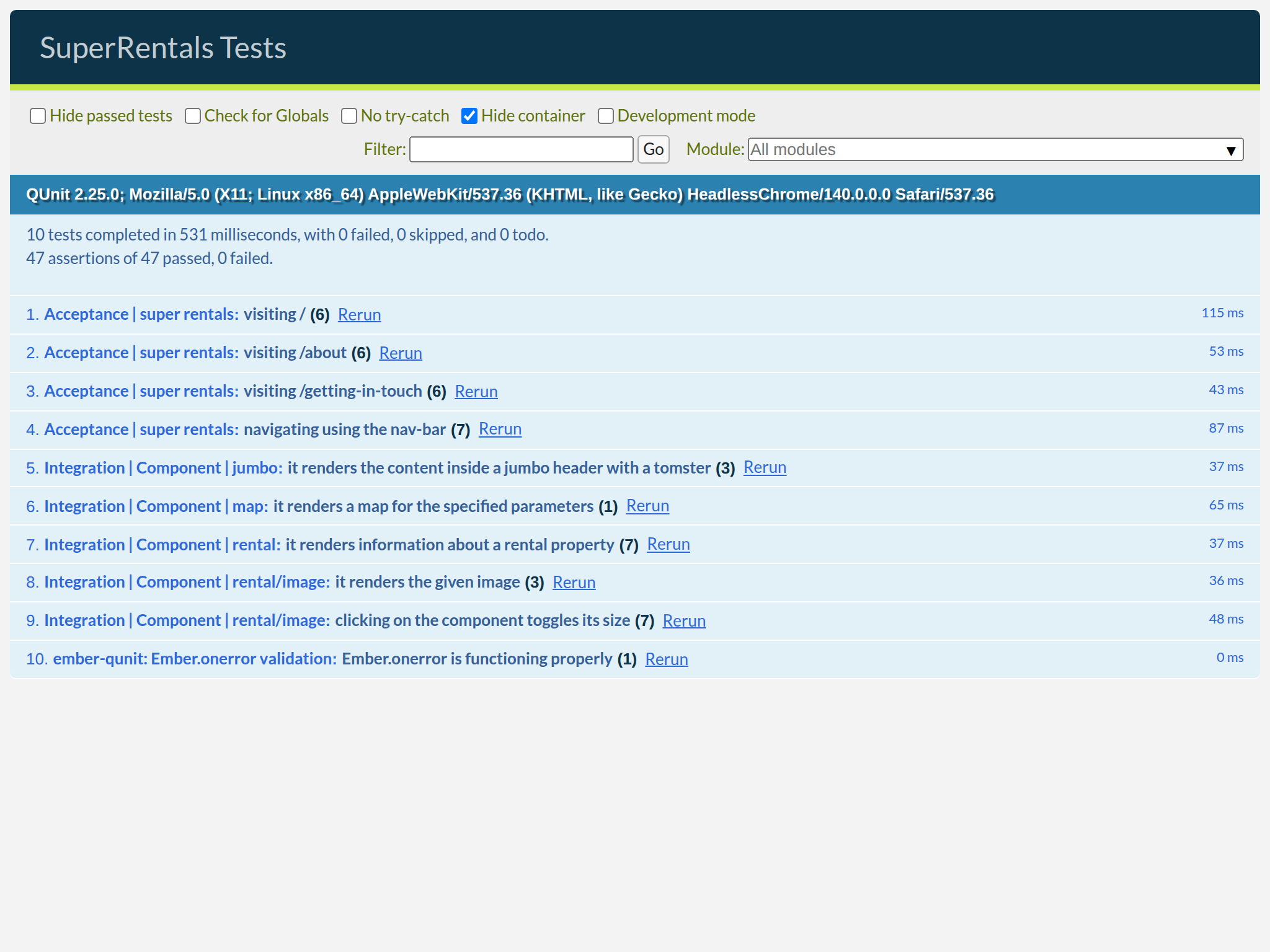
Sizing the Map with inline styles
Our map renders, but it is a fixed size. We want the caller to be able to pass @width and @height arguments to control the map's dimensions.
The natural way to set a size is through an inline style attribute. You might try:
<div class="map"
  {{displayMap @lat @lng @zoom}}
  style="width: {{@width}}px; height: {{@height}}px;"
></div>
However, Ember will log a console warning when you do this:
Binding style attributes may introduce cross-site scripting vulnerabilities...
Ember warns about dynamic string interpolation inside style attributes because of the risk of XSS (Cross-Site Scripting) attacks. If @width could ever receive a value from untrusted user input, a malicious string could inject arbitrary styles — or worse, </style><script> — into the page.
To safely set a computed style string that we control, we use trustHTML from @ember/template. This function takes a string and marks it as trusted HTML, which tells Ember it can be used in HTML attribute contexts without further escaping:
import Component from '@glimmer/component';
import { modifier } from 'ember-modifier';
import { trustHTML } from '@ember/template';
import { Map as MapLibreGLMap, Marker } from 'maplibre-gl';
import 'maplibre-gl/dist/maplibre-gl.css';

const MAP_STYLE = 'https://tiles.openfreemap.org/styles/liberty';

const displayMap = modifier((element, [lat, lng, zoom]) => {
  const map = new MapLibreGLMap({
    container: element,
    style: MAP_STYLE,
    center: [lng, lat],
    zoom,
  });

  new Marker().setLngLat([lng, lat]).addTo(map);

  return () => map.remove();
});

export default class Map extends Component {
  get mapSize() {
    return trustHTML(`width: ${this.args.width}px; height: ${this.args.height}px;`);
  }

  <template>
    <div class="map"
      {{displayMap @lat @lng @zoom}}
      style="width: 500px; height: 500px;"// [!code --]
      style={{this.mapSize}}
    ></div>
  </template>
}
We add a mapSize getter to the Map class. From within our JavaScript class, we have access to component arguments using the this.args.* API. Here, this.args.width and this.args.height give us the values the caller passed as @width and @height. We interpolate those into a CSS style string and wrap the result with trustHTML.
We chose a getter merely to demonstrate both getters and this.args, we could instead have used a local helper function and passed in the values for @width and @height from the template.
We know using trustHTML here is safe because @width and @height are numbers that we control — they are component arguments passed by the caller, not raw user input read from a form field or a URL parameter.
In the template, {{this.mapSize}} evaluates the getter and binds the resulting safe string to the style attribute.
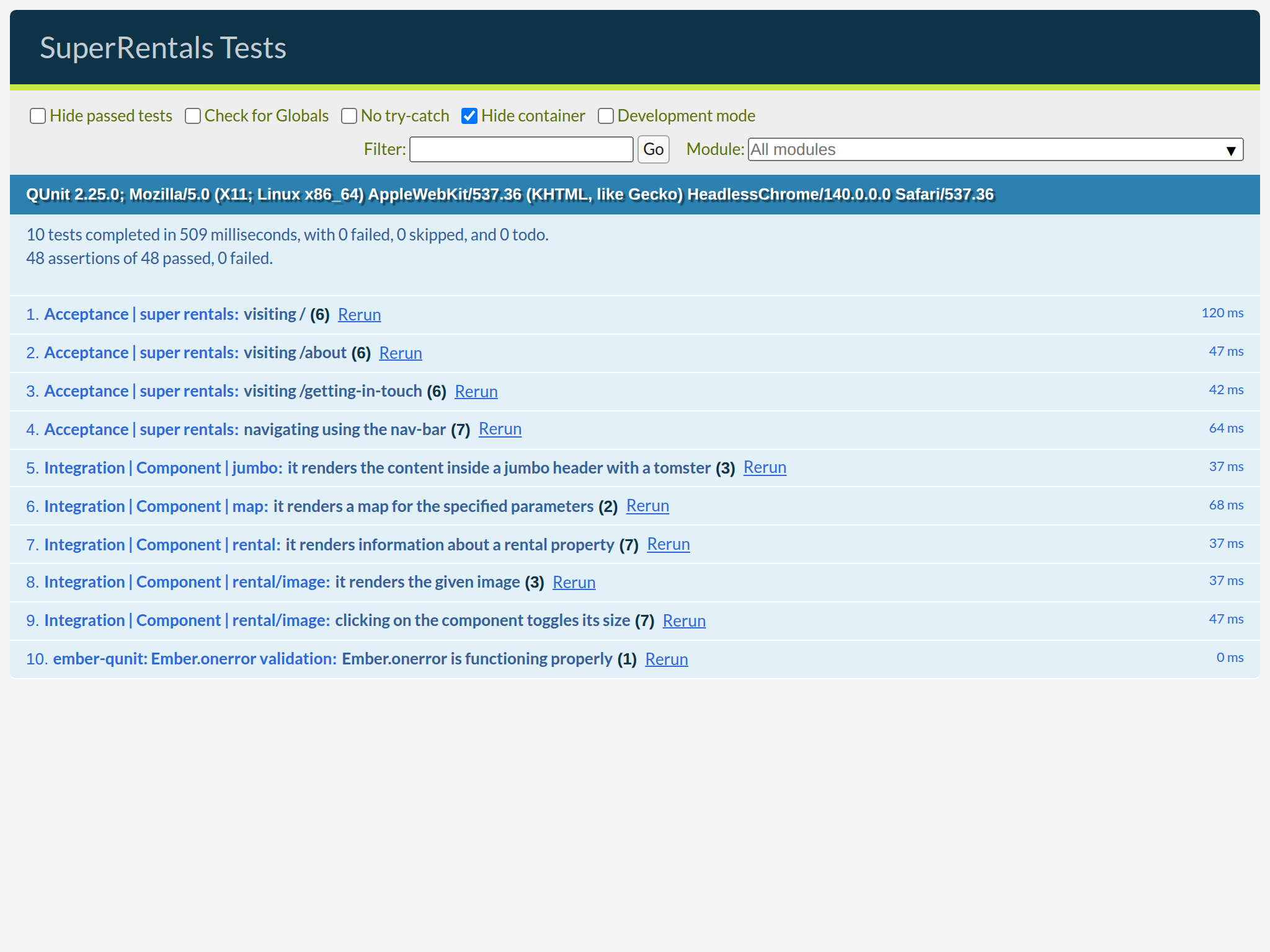
Let's update our test to assert that the style is applied correctly:
import { module, test } from 'qunit';
import { setupRenderingTest } from 'super-rentals/tests/helpers';
import { render } from '@ember/test-helpers';
import Map from 'super-rentals/components/map';

module('Integration | Component | map', function (hooks) {
  setupRenderingTest(hooks);

  test('it renders a map for the specified parameters', async function (assert) {
    await render(<template>
      <Map
        @lat="37.7797"
        @lng="-122.4184"
        @zoom="10"
        @width="150"
        @height="120"
      />
    </template>);

    assert.dom('.map').exists();
    assert
      .dom('.map')
      .exists()
      .hasAttribute('style', 'width: 150px; height: 120px;');
  });
});
Getting JavaScript Values into the Test Context
The mapSize helper depends on @width and @height — but does the style attribute update when those arguments change? Let's write a test to find out.
To update component arguments from inside a test, we need a way to hold mutable state outside the template. We can create a simple class for this, using the @tracked decorator just like we would in application code:
import { module, test } from 'qunit';
import { setupRenderingTest } from 'super-rentals/tests/helpers';
import { render } from '@ember/test-helpers';
import { render, rerender } from '@ember/test-helpers';
import Map from 'super-rentals/components/map';
import { tracked } from '@glimmer/tracking';

module('Integration | Component | map', function (hooks) {
module('Integration | Component | map', function(hooks) {
  setupRenderingTest(hooks);

  test('it renders a map for the specified parameters', async function (assert) {
  test('it renders a map for the specified parameters', async function(assert) {
    await render(<template>
      <Map
        @lat="37.7797"
        @lng="-122.4184"
        @zoom="10"
        @width="150"
        @height="120"
      />
    </template>);

    assert
      .dom('.map')
      .exists()
      .hasAttribute('style', 'width: 150px; height: 120px;');
  });

  test('it updates the style when the dimensions change', async function(assert) {
    class State {
      @tracked width = 150;
      @tracked height = 120;
    }

    const state = new State();

    await render(<template>
      <Map
        @lat="37.7797"
        @lng="-122.4184"
        @zoom="10"
        @width={{state.width}}
        @height={{state.height}}
      />
    </template>);

    assert
      .dom('.map')
      .hasAttribute('style', 'width: 150px; height: 120px;');

    state.width = 300;
    state.height = 200;

    await rerender();

    assert
      .dom('.map')
      .hasAttribute('style', 'width: 300px; height: 200px;');
  });
});
In this test we create a local State class and an instance called state. There is nothing special about the name — it's a plain JavaScript class that holds reactive data. We decorate its properties with @tracked so that Ember knows to re-render whenever they change.
After mutating state.width and state.height, we call await rerender() to give Ember a chance to flush the update before we assert again.
Note that we did not mark our mapSize getter as @tracked. Unlike instance variables, getters cannot be "assigned" a new value directly, so it does not make sense for Ember to monitor them for changes.
That being said, the values produced by getters can certainly change. In our case, the value produced by mapSize depends on this.args.width and this.args.height. Whenever these dependencies are updated, we would expect {{this.mapSize}} in the template to be updated accordingly.
Ember does this by automatically tracking any variables that were accessed while computing a getter's value. As long as the dependencies themselves are marked as @tracked, Ember knows exactly when to invalidate and re-render any templates that may contain "stale" getter values. This feature is also known as autotracking.
All arguments accessible from this.args (in other words, this.args.*) are implicitly marked as @tracked by the Glimmer component superclass. Since we inherited from that superclass, everything Just Works™.
Auto-track works the same way inside modifiers: if the positional arguments passed to {{displayMap @lat @lng @zoom}} change, Ember will call the modifier's cleanup function and re-run the modifier with the new values.
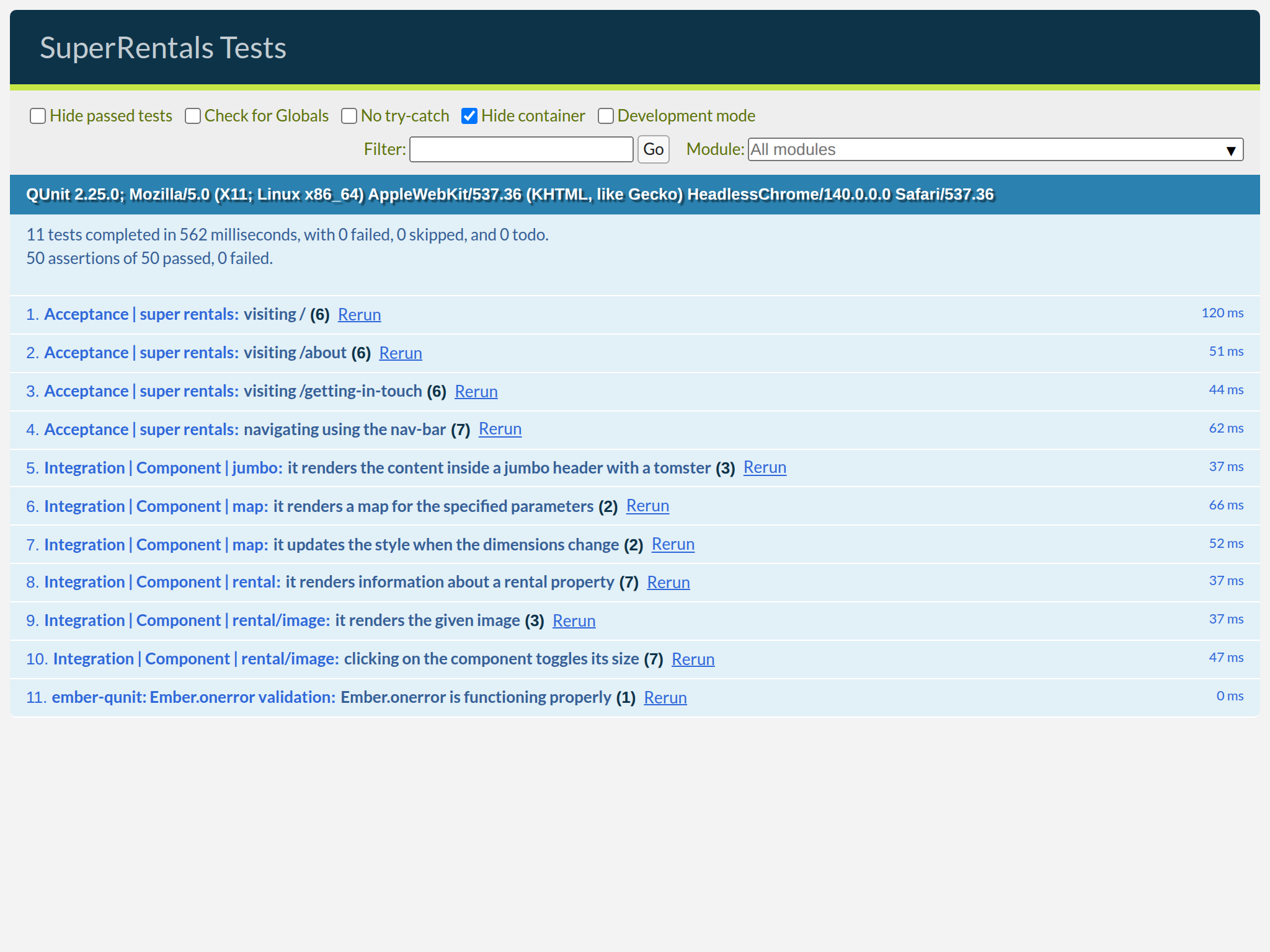
Overriding HTML Attributes in ...attributes
Next, we use ...attributes to allow the invoker to further customize the map <div>, for example by passing accessibility attributes like role and aria-label:
import Component from '@glimmer/component';
import { modifier } from 'ember-modifier';
import { trustHTML } from '@ember/template';
import { Map as MapLibreGLMap, Marker } from 'maplibre-gl';
import 'maplibre-gl/dist/maplibre-gl.css';

const MAP_STYLE = 'https://tiles.openfreemap.org/styles/liberty';

const displayMap = modifier((element, [lat, lng, zoom]) => {
  const map = new MapLibreGLMap({
    container: element,
    style: MAP_STYLE,
    center: [lng, lat],
    zoom,
  });

  new Marker().setLngLat([lng, lat]).addTo(map);

  return () => map.remove();
});

export default class Map extends Component {
  get mapSize() {
    return trustHTML(`width: ${this.args.width}px; height: ${this.args.height}px;`);
  }

  <template>
    <div class="map"
      {{displayMap @lat @lng @zoom}}
      style={{this.mapSize}}
      ...attributes
    ></div>
  </template>
}
The ordering is important here! Ember applies attributes in the order they appear. By placing ...attributes after style={{this.mapSize}}, we allow the invoker to override the inline styles if they want. Note that ...attributes does forward any modifiers the caller passes — but our own {{displayMap ...}} is defined directly on the element, so it always runs regardless of what the caller provides.
Let's add a test to verify that ...attributes works correctly:
import { module, test } from 'qunit';
import { setupRenderingTest } from 'super-rentals/tests/helpers';
import { render, rerender } from '@ember/test-helpers';
import Map from 'super-rentals/components/map';
import { tracked } from '@glimmer/tracking';

module('Integration | Component | map', function(hooks) {
  setupRenderingTest(hooks);

  test('it renders a map for the specified parameters', async function(assert) {
    await render(<template>
      <Map
        @lat="37.7797"
        @lng="-122.4184"
        @zoom="10"
        @width="150"
        @height="120"
      />
    </template>);

    assert
      .dom('.map')
      .exists()
      .hasAttribute('style', 'width: 150px; height: 120px;');
  });

  test('it updates the style when the dimensions change', async function(assert) {
    class State {
      @tracked width = 150;
      @tracked height = 120;
    }

    const state = new State();

    await render(<template>
      <Map
        @lat="37.7797"
        @lng="-122.4184"
        @zoom="10"
        @width={{state.width}}
        @height={{state.height}}
      />
    </template>);

    assert
      .dom('.map')
      .hasAttribute('style', 'width: 150px; height: 120px;');

    state.width = 300;
    state.height = 200;

    await rerender();

    assert
      .dom('.map')
      .hasAttribute('style', 'width: 300px; height: 200px;');
  });

  test('the attributes can be customized', async function(assert) {
    await render(<template>
      <Map
        @lat="37.7797"
        @lng="-122.4184"
        @zoom="10"
        @width="150"
        @height="120"
        role="img"
        aria-label="A map of San Francisco"
        class="my-map"
      />
    </template>);

    assert
      .dom('.map')
      .hasAttribute('role', 'img')
      .hasAttribute('aria-label', 'A map of San Francisco')
      .hasClass('my-map');
  });
});
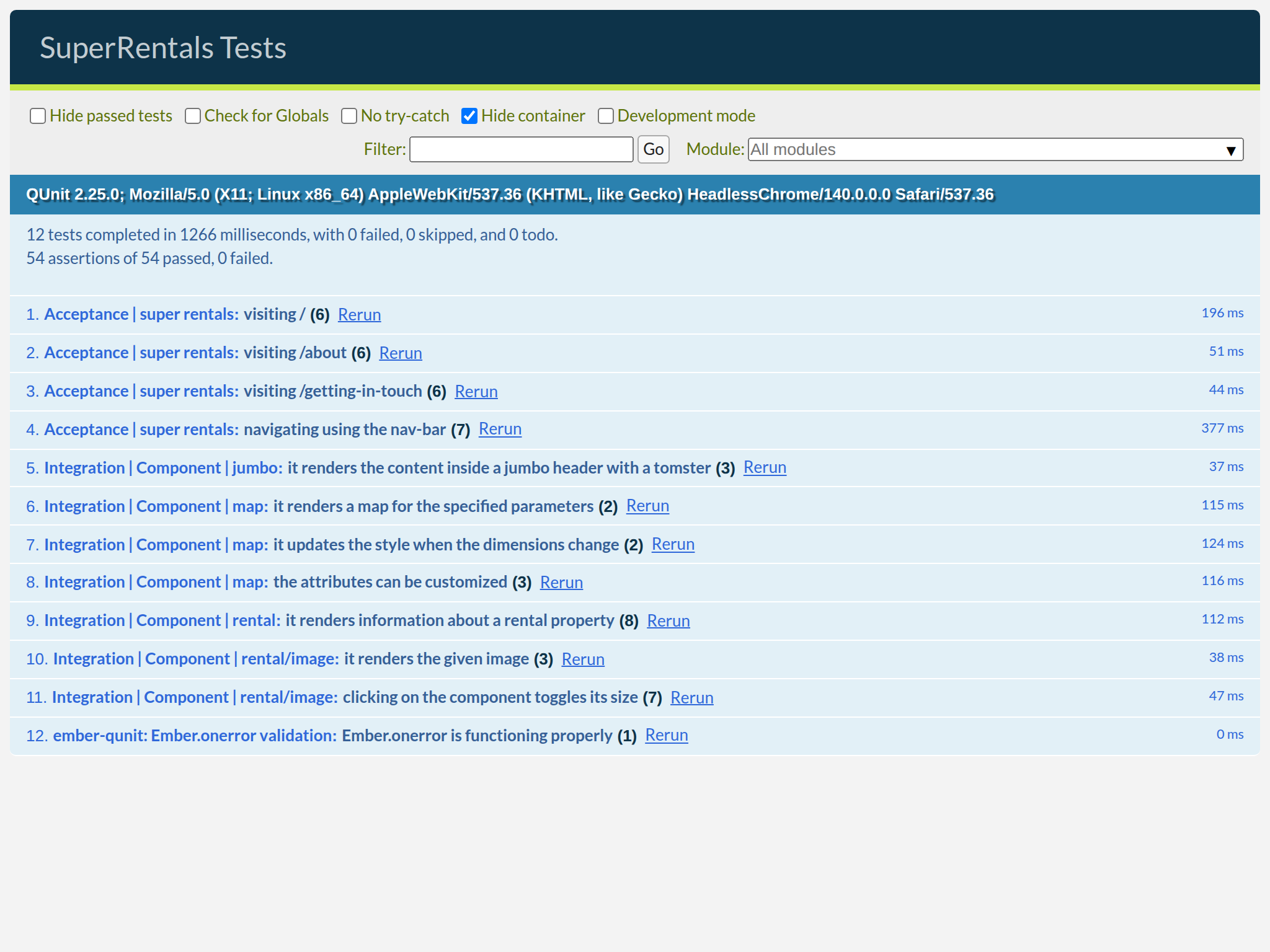
Fingers crossed... Let's run our tests.
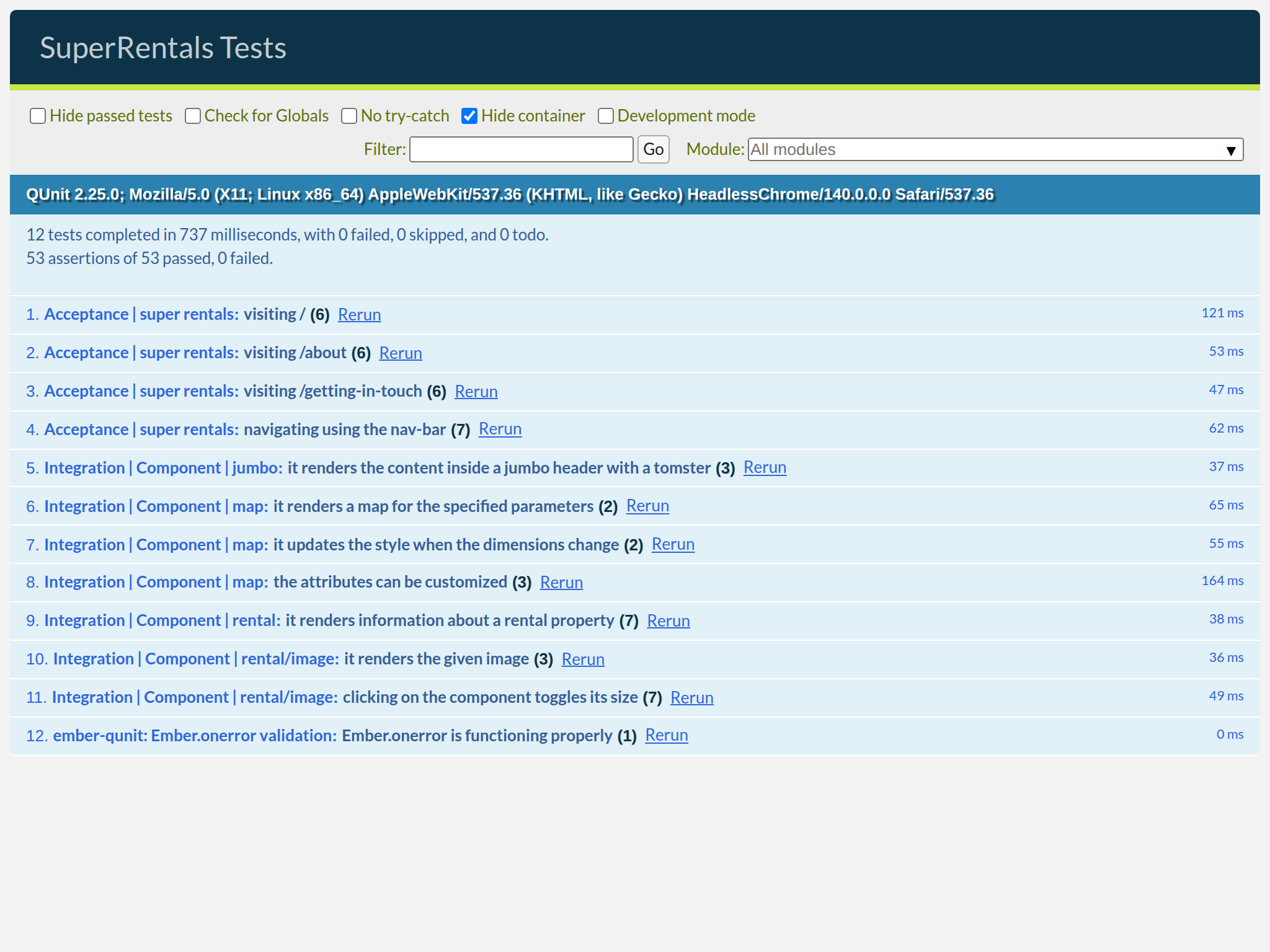
Hey, all the tests passed! But does that mean it actually works in practice? Let's find out by invoking the <Map> component from the <Rental> component's template:
import RentalImage from 'super-rentals/components/rental/image';
import Map from 'super-rentals/components/map';

<template>
  <article class="rental">
    <RentalImage
      src="https://upload.wikimedia.org/wikipedia/commons/c/cb/Crane_estate_(5).jpg"
      alt="A picture of Grand Old Mansion"
    />
    <div class="details">
      <h3>Grand Old Mansion</h3>
      <div class="detail owner">
        <span>Owner:</span> Veruca Salt
      </div>
      <div class="detail type">
        <span>Type:</span> Standalone
      </div>
      <div class="detail location">
        <span>Location:</span> San Francisco
      </div>
      <div class="detail bedrooms">
        <span>Number of bedrooms:</span> 15
      </div>
    </div>
    <Map
      @lat="37.7749"
      @lng="-122.4194"
      @zoom="9"
      @width="150"
      @height="150"
      role="img"
      aria-label="A map of Grand Old Mansion"
    />
  </article>
</template>
Hey! That's a map!
For good measure, we will also add an assertion to the <Rental> tests to make sure we rendered the <Map> component successfully.
import { module, test } from 'qunit';
import { setupRenderingTest } from 'super-rentals/tests/helpers';
import { render } from '@ember/test-helpers';
import Rental from 'super-rentals/components/rental';

module('Integration | Component | rental', function (hooks) {
  setupRenderingTest(hooks);

  test('it renders information about a rental property', async function (assert) {
    await render(<template><Rental /></template>);

    assert.dom('article').hasClass('rental');
    assert.dom('article h3').hasText('Grand Old Mansion');
    assert.dom('article .detail.owner').includesText('Veruca Salt');
    assert.dom('article .detail.type').includesText('Standalone');
    assert.dom('article .detail.location').includesText('San Francisco');
    assert.dom('article .detail.bedrooms').includesText('15');
    assert.dom('article .image').exists();
    assert.dom('article .map').exists();
  });
});
Pulling the Tile Style URL from Configuration
The MAP_STYLE constant is currently hardcoded inside the map component. This works, but a tile server URL is the kind of app-level setting that could reasonably differ between environments — for example, pointing at a self-hosted tile server in production while using OpenFreeMap during development. Ember's convention is to centralize these values in config/environment.js, where all environment-specific configuration lives.
Let's move the tile style URL there:
'use strict';

module.exports = function (environment) {
  const ENV = {
    modulePrefix: 'super-rentals',
    environment,
    rootURL: '/',
    locationType: 'history',
    EmberENV: {
      RAISE_ON_DEPRECATION: true,
      EXTEND_PROTOTYPES: false,
      FEATURES: {
        // Here you can enable experimental features on an ember canary build
        // e.g. EMBER_NATIVE_DECORATOR_SUPPORT: true
      },
    },

    APP: {
      // Here you can pass flags/options to your application instance
      // when it is created
    },
  };

  if (environment === 'development') {
    // ENV.APP.LOG_RESOLVER = true;
    // ENV.APP.LOG_ACTIVE_GENERATION = true;
    // ENV.APP.LOG_TRANSITIONS = true;
    // ENV.APP.LOG_TRANSITIONS_INTERNAL = true;
    // ENV.APP.LOG_VIEW_LOOKUPS = true;
  }

  if (environment === 'test') {
    // Testem prefers this...
    ENV.locationType = 'none';

    // keep test console output quieter
    ENV.APP.LOG_ACTIVE_GENERATION = false;
    ENV.APP.LOG_VIEW_LOOKUPS = false;

    ENV.APP.rootElement = '#ember-testing';
    ENV.APP.autoboot = false;
  }

  if (environment === 'production') {
    // here you can enable a production-specific feature
  }

  ENV.MAP_TILE_STYLE = 'https://tiles.openfreemap.org/styles/liberty';

  return ENV;
};
Now update map.gjs to import ENV from super-rentals/config/environment and read the URL from there instead of the local constant:
import Component from '@glimmer/component';
import { modifier } from 'ember-modifier';
import { trustHTML } from '@ember/template';
import { Map as MapLibreGLMap, Marker } from 'maplibre-gl';
import 'maplibre-gl/dist/maplibre-gl.css';

const MAP_STYLE = 'https://tiles.openfreemap.org/styles/liberty';
import ENV from 'super-rentals/config/environment';

const displayMap = modifier((element, [lat, lng, zoom]) => {
  const map = new MapLibreGLMap({
    container: element,
    style: MAP_STYLE,
    style: ENV.MAP_TILE_STYLE,
    center: [lng, lat],
    zoom,
  });

  new Marker().setLngLat([lng, lat]).addTo(map);

  return () => map.remove();
});

export default class Map extends Component {
  get mapSize() {
    return trustHTML(`width: ${this.args.width}px; height: ${this.args.height}px;`);
  }

  <template>
    <div class="map"
      {{displayMap @lat @lng @zoom}}
      style={{this.mapSize}}
      ...attributes
    ></div>
  </template>
}
The import path super-rentals/config/environment is the standard Ember module
path that resolves to the project's config/environment.js file. The ENV
object it exports contains all the values we set there, for the current environment,
including our newly added MAP_TILE_STYLE.
The component is no longer responsible for knowing what the URL for tiles is —
it just reads it from the central configuration at startup.